Getting Reliable Internet in Your Portable Cabin: WiFi & Connectivity Solutions
The One Thing Most People Forget to Plan
You’ve picked your portable cabin. You’ve picked the spot in the garden. You’ve even picked the paint colour for the desk. But here’s the question that trips up almost everyone: how are you actually going to get online out there?
It’s the detail that gets left until moving day, and then it becomes a scramble. A weak signal turns a peaceful home office into a source of daily frustration. Dropped video calls, buffering uploads, and a phone hotspot that dies by lunchtime — none of it needs to happen. Sorting your portable cabin internet connectivity setup before you move in is quick, affordable, and makes the difference between a cabin you love working from and one you dread.
- Most portable cabins get reliable internet through a 4G/5G mobile router, a satellite system like Starlink, or a WiFi extender linked to your main house connection.
- If your cabin sits within 20–30 metres of your home router, a WiFi extender or mesh point is usually the cheapest, simplest fix.
- If your cabin is further away, on a lifestyle block, or somewhere mobile coverage is patchy, satellite internet gives the most dependable speed.
- A 4G/5G router with an external antenna sits nicely in the middle — good speed, no cables, and it works almost anywhere with mobile coverage.
- Budget roughly $50–$150 a month, depending on which option you choose and how much data you use.
- Setup for most options takes under an hour once the gear arrives.
Key Takeaways
- Plan your internet before your cabin arrives, not after.
- Close to the house? A WiFi extender is cheap and simple.
- Further away or rural? A 4G/5G router or satellite dish will serve you better.
- Check mobile coverage at your address before choosing a router.
- Budget $50–$150 a month depending on your option.
- Test the signal for a day or two before locking in a plan.
What We Mean by Portable Cabin Internet
Portable cabin internet connectivity is simply how you get your cabin online without running permanent cables through the garden or into a rented property. Because a Room2Rent cabin isn’t a fixed extension of your house, it needs its own connectivity plan — one that’s flexible enough to move if the cabin ever does.
There are three main routes: extending your existing home WiFi outward, adding a mobile broadband router that uses the phone network, or installing a satellite dish for areas where nothing else reaches. Each one suits a different situation, and the right choice usually comes down to distance from your router, how much you rely on the connection for work, and what coverage looks like where you live.
Why Connectivity Makes or Breaks Your Cabin Experience
Remote Work Deserves More Than “Good Enough” WiFi
If your cabin is doing double duty as a home office, a shaky connection isn’t just annoying — it costs you time and looks unprofessional on client calls. A proper setup means video calls that don’t freeze, files that upload while you get on with your day, and no mad dash back to the house every time the signal drops.
Off-Grid Doesn’t Mean Offline
Plenty of people choose a portable cabin precisely because it sits away from the main house — as a private retreat, a teenager’s space, or a small studio on a lifestyle block. Being tucked away shouldn’t mean being cut off. Modern connectivity options mean even a cabin at the back of a five-acre block can have internet as fast as the house.
Your Internet Options, Explained Simply
Mobile Broadband and 4G/5G Routers
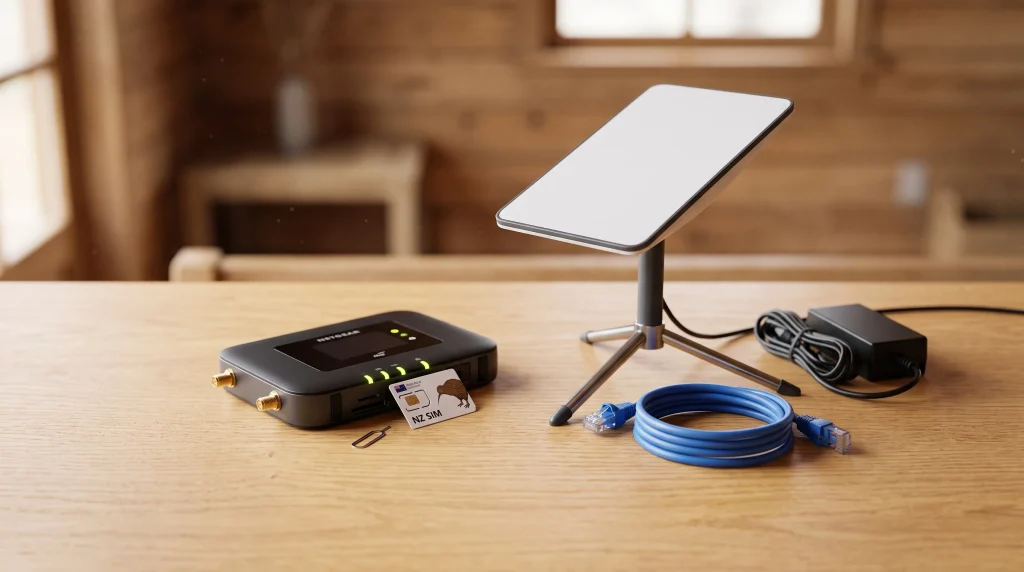
A mobile router works like a much stronger version of your phone’s hotspot. It uses the same towers your phone connects to, but with a bigger antenna, it pulls in a far stronger and steadier signal. You simply plug it in, pop in a SIM card, and it broadcasts its own WiFi inside the cabin. There’s no cable to the house and no need for anyone to dig a trench.
Satellite Internet (Starlink)
Satellite internet beams your connection down from space rather than up from a phone tower or along a cable. This makes it the most reliable choice for rural properties, remote sections, or anywhere mobile coverage is weak. A small dish sits outside with a clear view of the sky, and a cable runs into the cabin to a WiFi router. It costs more upfront than the other options, but for cabins used as a full-time workspace, it’s often worth it.
WiFi Extenders and Mesh Points
If your cabin sits close to the house, you may not need a new connection at all. A WiFi extender or mesh point simply takes your existing home internet and stretches it further, so your cabin shares the same network. It’s the cheapest option by far, though signal strength can weaken with distance, thick walls, or trees in the way.
| Option | Best For | Typical Monthly Cost | Setup Time |
| WiFi Extender/Mesh | Cabins near the house | $0–$30 (one-off gear cost) | 15–30 minutes |
| 4G/5G Mobile Router | Most locations with mobile coverage | $50–$100 | 20–40 minutes |
| Satellite (Starlink) | Rural or remote sites | $100–$150 | 30–60 minutes |
Setting Up Your Portable Cabin Internet Connectivity
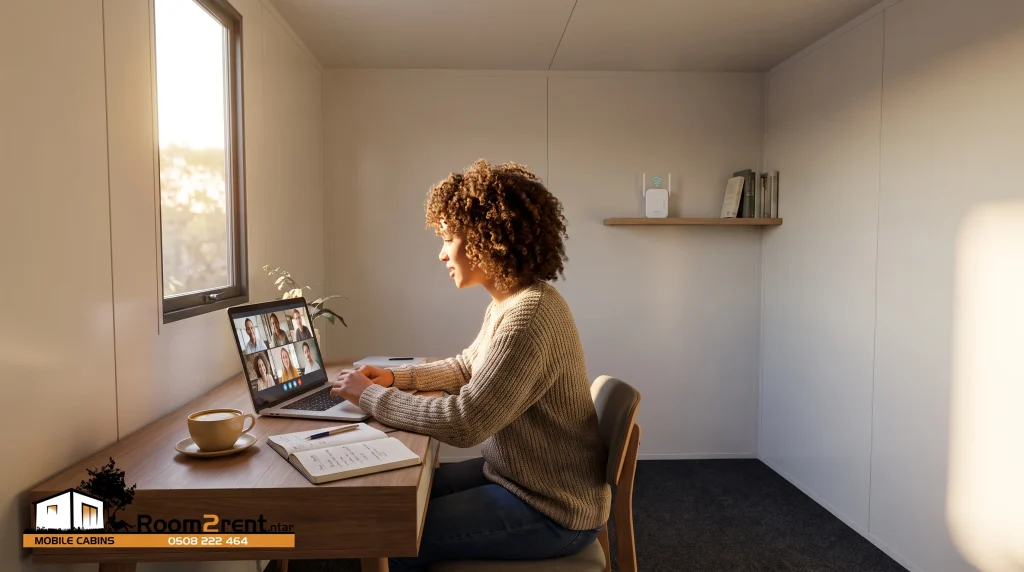
Getting connected doesn’t need a technician. Start by checking mobile coverage at your exact address using your provider’s coverage map — this tells you straight away whether a 4G/5G router will work well. Next, think about placement. Routers and dishes perform best near a window facing the direction of the nearest cell tower or with a clear view of open sky for satellite. Finally, run a cable neatly along a skirting board or through a small conduit if you’re linking to an extender, so nothing trails across the floor.
Most people find that testing the signal for a day or two before committing to a plan saves money and hassle later. Many providers offer a trial period or a no-lock-in contract, which is worth asking about.
Key Benefits of Getting This Right
- Fewer dropped calls and smoother video meetings, especially important if the cabin is your daily home office.
- No cables across the lawn, since mobile and satellite options skip the trench entirely.
- Flexibility if you move the cabin, because most setups pack down and travel with you.
- Better resale or resell value for your setup, as a cabin that’s “internet-ready” appeals to more buyers or tenants.
- Peace of mind for privacy-focused spaces, like a backyard retreat where you still want to stream, browse, or take calls comfortably.
Real-Life Ways People Use Their Connected Cabin
A Standard Cabin fitted out as a home office needs steady enough internet for calls and cloud-based work — a 4G/5G router usually covers this easily. Someone running a beauty or nail studio from their cabin might only need internet for card payments and music, so a simple extender often does the job. Meanwhile, businesses using an Extra Large Cabin to house multiple staff desks on-site tend to lean towards satellite internet, since several people working at once need a stronger, steadier connection.
Take the Next Step: Sort Your Cabin’s Connectivity Before It Arrives
Sorting internet before your cabin lands means you can start working, relaxing, or running your business from day one — no waiting around for a technician or a second delivery. If you’re still weighing up which cabin size suits your setup, or want to know what’s involved with delivery and placement, the Room2Rent team can talk you through it. Have a browse of cabins available in your region, or get in touch with your questions — including where to position your cabin for the best possible signal.
A Small Step That Makes a Big Difference
Reliable internet turns a portable cabin from a nice-to-have space into a genuinely useful one — whether that’s for work, study, or simply keeping in touch while you relax. The setup itself is quick and doesn’t need to cost much, and once it’s sorted, you won’t think about it again. Get the connectivity right from the start, and your cabin will feel just as capable as any room in the house.
Frequently Asked Questions
No, portable cabins arrive without an internet connection built in, since every property and location has different needs. You’ll choose and set up your own option — usually a WiFi extender, mobile router, or satellite dish — once the cabin is placed. Room2Rent can advise on the best position for signal strength.
A WiFi extender or mesh point is usually the most affordable option if your cabin is within 20–30 metres of your home router. It reuses your existing internet plan, so there’s no extra monthly cost beyond the one-off price of the extender itself, typically $30–$80.
It depends on your coverage. Mobile routers use an external antenna, which is stronger than a phone, so they often pick up a usable signal where a phone struggles. It’s worth checking your provider’s coverage map for your exact address before buying one.
Starlink suits rural properties, large sections, or spots with poor mobile coverage. For a single cabin close to the house with decent signal already, it’s likely more than you need. For remote or off-grid setups, though, it’s often the most reliable choice available.
You can, but most people avoid it because it means digging a trench or running a cable across the lawn, which isn’t practical if the cabin might move later. Wireless options like extenders, routers, and satellite avoid this altogether.
For everyday remote work — email, video calls, and cloud documents — most people use between 50GB and 150GB a month. Heavy video calling or large file transfers will push this higher, so check your provider’s plans against your typical workload.
Yes, quite a bit. Trees, fences, and the direction a window faces can all affect signal strength for both mobile routers and satellite dishes. Placing the cabin with a clear line toward the nearest cell tower or open sky makes a noticeable difference.
Yes, all three main options — extenders, mobile routers, and satellite — comfortably handle video calls and streaming once set up correctly. Satellite and mobile routers tend to perform best for cabins further from the house or with multiple people using the connection at once.
Most setups take between 15 minutes and an hour, depending on the option. WiFi extenders are the quickest, while satellite dishes take a little longer due to positioning and calibration. None of it requires a professional installer in most cases.
The Extra Large Cabin offers the most room for multiple desks and staff, which pairs well with a satellite or higher-capacity mobile router to keep several people connected at once without slowdown.